

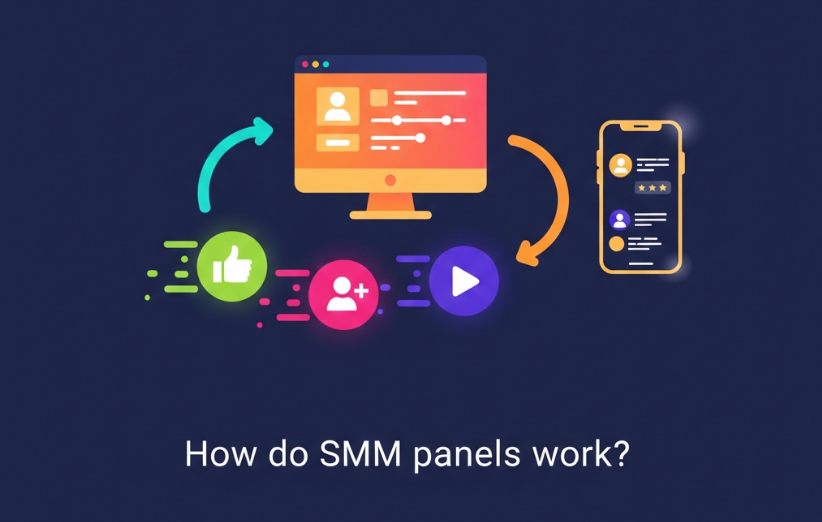
How Do SMM Panels Work? An SMM panel works as an online ordering dashboard for social media services. You create an account, add balance, choose a service, enter the correct public link and quantity, and submit the order. The panel then processes that request itself or sends it to a connected provider, while you track the order from the dashboard until it is completed, partially completed, or cancelled.
That is the whole idea in one paragraph. What makes SMM panels look complicated is everything happening between Place Order and Completed. The rest of this guide explains that process without unnecessary technical jargon.
How Do SMM Panels Work?
Think of an SMM Panel as the control center between the buyer and different social media services.
Instead of contacting separate suppliers every time you need Instagram followers, YouTube views, Telegram members, TikTok engagement, Spotify plays, or another service, the panel organizes those options inside one dashboard.
The user mainly interacts with four things:
- Service: what you want delivered.
- Link: where the service should go.
- Quantity: how much you want.
- Order status: what is currently happening to the request.
Behind those four fields there may be providers, APIs, queues, availability checks, service limits, refill rules, and automated status updates. The customer normally does not need to manage that backend directly.
Step 1: You Add Balance to Your Account
Most SMM panels work with a prepaid balance.
Instead of entering payment information for every individual order, you first add funds to your panel account. Each order then deducts its calculated cost from that balance.
For example, if a service costs $0.80 per 1,000 units and you order 5,000, the system calculates the cost according to that service rate and deducts it when the order is accepted.
Pricing can differ significantly even between services that appear similar because different providers, delivery conditions, refill policies, targeting options, and quality levels may be involved.
Step 2: You Choose a Service, Not Just a Platform
Selecting “Instagram” or “YouTube” is only the beginning.
Inside each platform category there may be many separate services. Two follower services, for example, can have different prices, minimum quantities, maximum quantities, start times, delivery speeds, refill periods, or targeting conditions.
Each service normally has its own identifier. That identifier tells the system exactly which option you selected.
If you want to understand that part of the dashboard properly, What Is Service ID in an SMM Panel? explains why similar-looking services can still have different Service IDs.
Important: The service description matters more than the category name. Before ordering, check the minimum, maximum, start time, speed, refill information, target requirements, and any special notes attached to that exact service.
Step 3: You Give the Panel a Target
The panel has to know where the service should be delivered.
Depending on the service, the target might be:
- A profile URL.
- A post or Reel URL.
- A video URL.
- A channel or group link.
- A playlist or track URL.
- A username.
Using the wrong target is one of the easiest ways to create a failed or cancelled order. A profile follower service usually needs a profile target, while a video-view service needs the individual video.
For specific examples, What Link Should You Use for an SMM Panel Order? explains how to identify the correct URL before submitting an order.
Step 4: The Panel Creates the Order
Once you click the order button, the panel records the information needed for that request.
This can include:
- The selected Service ID.
- The target link or username.
- The requested quantity.
- The order charge.
- The creation time.
- Any service-specific fields.
The system then creates an Order ID so the request can be tracked separately from every other order on the panel.
From this point onward, the order enters the panel's processing workflow. The article What Happens After You Place an SMM Panel Order? goes deeper into what happens immediately after submission.
Step 5: Who Actually Processes the Delivery?
This is the part many first-time users never see.
An SMM panel does not necessarily operate every individual service from infrastructure it owns itself. Many panels work with one or more providers that supply or process different service categories.
The panel is therefore often the customer-facing layer, while a provider may be responsible for the backend fulfillment of a specific service.
One panel can even use different providers for different services. Its Instagram follower service might come from one source while a Telegram member service or YouTube view service is processed elsewhere.
This explains why two services inside the same dashboard can behave very differently.
The relationship between these two layers is covered in What Is a Provider in an SMM Panel?.
How Does the Order Reach the Provider?
This can happen manually, automatically, or through a combination of both.
At scale, many panels use API connections. An API allows the panel's system to communicate with another system automatically.
For example, an automated workflow may:
- Check the selected service.
- Send the link and quantity to the connected provider.
- Receive an upstream order reference.
- Check the provider for status updates.
- Reflect those updates back in the customer's dashboard.
This automation is one reason panels can manage large numbers of orders without manually processing every request one by one.
Why Does an Order Start as Pending?
An order does not always begin delivery the second you submit it.
It may first enter Pending while the panel or provider accepts, queues, or prepares the request.
Pending therefore does not automatically mean that something is wrong. What matters is the expected start time stated for that service and how long the order remains in that status.
If you see this status and are unsure what it means, What Does Pending Mean in an SMM Panel? explains when waiting is normal and when the order may need attention.
How Is the Service Delivered?
Once processing begins, the requested quantity is delivered according to the rules of that particular service.
Delivery may begin quickly or after a stated start delay. It may arrive rapidly, gradually, or at a defined average rate.
This is why start time and speed are not the same thing.
Start time describes roughly how long the service may take to begin. Speed describes how quickly the quantity is expected to arrive after delivery has started.
A 10,000-unit order therefore does not necessarily arrive as one instant block. Depending on the service, the total may be delivered over minutes, hours, or longer.
How Does the Panel Know When an Order Is Finished?
The panel tracks order state through its own system or receives updates from the connected provider.
Common statuses include:
- Pending: accepted or waiting to begin.
- Processing / In Progress: delivery has started or the provider is working on the order.
- Completed: the system considers the requested delivery finished.
- Partial: only part of the requested quantity could be delivered.
- Cancelled: the order could not continue.
These statuses describe the order workflow. They should not automatically be interpreted as guarantees about long-term retention or organic performance.
If you want to follow an active order correctly, use How to Track an SMM Panel Order?.
What Happens When the Full Quantity Cannot Be Delivered?
Sometimes a provider can deliver only part of an order.
For example, you might request 10,000 units but the service can complete only 7,600 before its available source changes or becomes unavailable.
In that situation, the order may become Partial. Depending on the panel's billing system, the undelivered portion may be returned to the user's panel balance.
A cancellation can happen for other reasons, such as an invalid target, unavailable service, incorrect input, or provider-side problem.
Why Can Numbers Drop After an Order Is Completed?
Completion tells you that the delivery process reached its expected endpoint. It does not necessarily mean every delivered unit will remain forever.
Some services can experience drops afterward because accounts disappear, providers change, platforms adjust visible metrics, or the source used for delivery does not retain fully.
This is one reason a service description may mention retention or refill.
What Does Refill Do?
A refill service provides a defined mechanism for replacing eligible losses after delivery.
For example, a service might include a refill window during which certain drops can be reviewed and replaced according to its rules.
Refill should not be interpreted as a promise of permanent numbers. It is simply an additional service condition that explains what happens if eligible delivery decreases during the covered period.
If retention matters to your purchase decision, What Is Refill in SMM Panel? explains the difference between refill-supported and no-refill services.
Do SMM Panels Need Your Social Media Password?
For normal public-link services, generally no.
A typical order works from information that is already publicly accessible, such as a profile URL, post URL, video URL, channel URL, or username.
Standard services should therefore not require you to hand over your account password, email password, two-factor authentication code, or other sensitive login credentials unless a very specific service legitimately requires account access and clearly explains why.
For ordinary follower, like, view, subscriber, member, reaction, or similar public-target services, unnecessary password requests are a strong reason to stop and reconsider the service.
Why Can Two SMM Panels Give Different Results?
Because the visible dashboard is only one part of the system.
Differences can come from:
- Different providers.
- Different service sources.
- Different pricing.
- Different delivery limits.
- Different start times and speeds.
- Different refill conditions.
- Different support quality.
- Different handling of Partial or Cancelled orders.
Even inside the same panel, two services for the same platform should be evaluated separately rather than assuming they are identical because their names look similar.
What Can an SMM Panel Actually Do—and What Can It Not Do?
Understanding this distinction prevents most unrealistic expectations.
An SMM panel can provide access to specific measurable social media services and organize their ordering, delivery, billing, and tracking in one place.
It cannot guarantee:
- Real customers.
- Sales.
- Viral content.
- Loyal audiences.
- Permanent retention for every service.
- Algorithmic ranking.
- Monetization approval.
Those outcomes depend on many factors outside the panel, including the content itself, audience interest, platform policies, brand trust, competition, and organic marketing.
The most sensible way to use a panel is therefore as a service and campaign-support tool, not as a replacement for the underlying social media strategy.
What Should a Beginner Check Before Placing the First Order?
Once you understand how the system works, the first order becomes straightforward.
- Choose the correct platform and service.
- Read the full service description.
- Check the minimum and maximum quantity.
- Check the start time and speed.
- Confirm whether refill is included.
- Paste the correct public target link.
- Start with a smaller test order if the service is new to you.
- Save the Order ID and monitor its status.
- Do not submit duplicate orders while the first one is still active unless the service specifically allows it.
That process gives you much better information than choosing a service based only on its price.
Quick Answers About How SMM Panels Work
Are SMM Panels Automated?
Many parts of the workflow can be automated, especially service synchronization, order submission, provider communication, status checking, and balance calculations. Some services or support cases may still involve manual handling.
Does the SMM Panel Deliver the Service Itself?
Sometimes it may control parts of fulfillment directly, but many panels also rely on external providers. Different services inside one panel can come from different sources.
Why Are There So Many Services for the Same Platform?
Because services can differ by provider, quality, targeting, speed, minimum quantity, maximum quantity, refill conditions, and other delivery characteristics.
Does Completed Mean the Result Is Permanent?
No. Completed is an order status indicating that delivery was considered finished. Long-term retention depends on the service and its conditions.
Can You Use an SMM Panel Without Technical Knowledge?
Yes. Normal dashboard ordering is designed for regular users. APIs and reseller integrations are more technical, but they are not necessary for placing ordinary orders.
The easiest way to remember How Do SMM Panels Work? is to follow one order from beginning to end: you choose a defined service, submit a public target and quantity, the panel routes the request to its fulfillment system or provider, delivery begins according to that service's rules, and the dashboard keeps track of the result. Once you understand that flow, terms such as Service ID, Pending, Provider, Partial, Completed, Drop, and Refill all become parts of the same system rather than separate mysteries.