

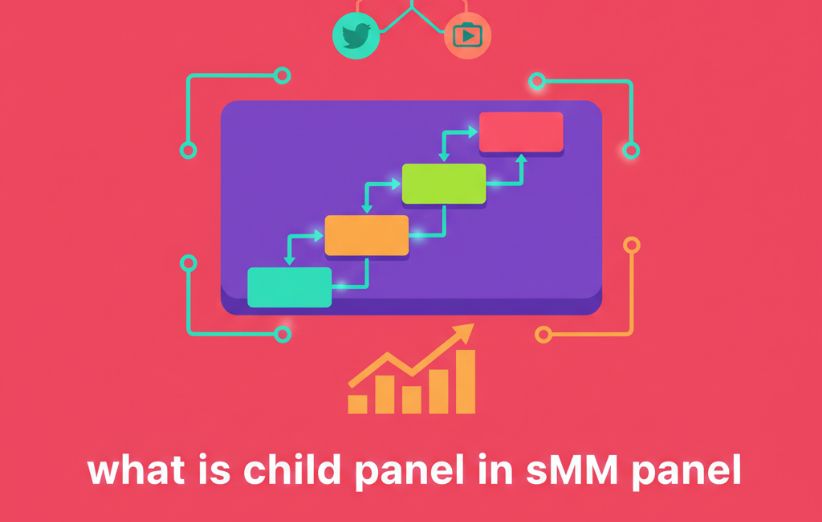
Imagine launching an SMM website with your own domain, logo, customers, and retail prices without building the entire ordering system or sourcing every service yourself. A customer visits your website and sees your brand. They add balance, choose a service, and place an order as they would on any other panel.
Behind the scenes, however, the service may be coming from another larger panel. That reseller structure is what people usually mean when they ask What Is a Child Panel in SMM Panel?
The easiest way to think about it is this: you operate the storefront; the parent panel supplies much of the machinery behind it.
What Is a Child Panel in SMM Panel?
A child panel is a branded SMM reseller panel that depends on a larger parent or main panel for its service catalog, order processing, or underlying infrastructure.
Depending on the system you use, you may be able to operate the child panel on your own domain, add your own branding, set retail prices, manage customers, receive payments, and provide customer support. Orders are then routed through the parent panel or its connected providers for fulfillment.
This means a child panel can look like an independent SMM Panel to the customer even though it relies on another system behind the scenes.
If the basic panel model is still unfamiliar, What Is an SMM Panel? explains the customer-facing side first.
What Actually Happens When a Customer Places an Order?
The structure makes more sense when you follow one order from beginning to end.
- Your customer chooses a service on the child panel at the retail price you display.
- The customer submits the required link and quantity through your order form.
- The child panel sends or routes the order upstream according to the parent panel setup.
- The parent system processes the order itself or routes it to one of its own providers.
- Delivery information and status move back through the system so the customer can track the order from your storefront.
So the person buying from your site does not necessarily interact with the parent panel at all. Their account, purchase experience, prices, and support relationship can remain with your brand.
The wider order lifecycle is explained in How Do SMM Panels Work?.
How Does a Child Panel Owner Make Money?
The basic reseller model is based on markup.
Suppose your upstream cost for a particular service is $2.00 and you list that service to your own customers for $3.50. Before payment fees, refunds, support costs, taxes, or other expenses, the difference is your gross margin on that order.
In simplified form:
Retail price − upstream service cost = gross margin
That does not mean every child panel is automatically profitable. Your actual profit also depends on customer acquisition costs, payment processing, refunds, chargebacks, support workload, price changes, service failures, and whether customers continue ordering.
What Do You Control and What Does the Parent Panel Control?
This is probably the most important distinction for anyone considering a child panel.
| Area | Child Panel Owner | Parent / Main Panel |
|---|---|---|
| Brand | Often controls name, logo, domain, and customer-facing identity. | Usually remains invisible to the end customer. |
| Retail Pricing | Usually sets markup or customer-facing rates. | Controls the upstream/base cost you pay. |
| Customers | Handles acquisition, accounts, communication, and often support. | Usually has no direct relationship with your retail customers. |
| Service Catalog | May choose which supplied services to display. | Controls or supplies the available upstream services. |
| Service Delivery | Normally does not directly fulfill the underlying service. | Handles or routes fulfillment through its provider network. |
| Underlying Infrastructure | May have limited technical responsibility in a hosted child-panel setup. | Typically controls much of the backend platform and integration. |
Exact controls vary between child-panel providers. Some systems give resellers more control over payment methods, design, service visibility, or pricing than others.
What Happens If the Parent Panel Changes Something?
This is the trade-off that beginners sometimes overlook.
Because the child panel depends on an upstream system, changes there can affect your own business. For example:
- A service may become unavailable.
- The wholesale rate may increase.
- Minimum or maximum order limits may change.
- Delivery speed may change.
- Refill terms may be updated.
- An upstream API or provider problem may delay orders.
You may control what your customer sees, but you do not necessarily control what happens further up the supply chain.
That is why choosing the upstream panel should involve more than comparing the cheapest rate. The criteria in How to Compare SMM Panel Services Before Ordering? also matter when evaluating services you plan to resell.
Is a Child Panel the Same as an API Reseller?
Not necessarily.
A child panel is usually a ready-made or managed reseller storefront connected to a parent system. You get the customer-facing panel without having to build every part yourself.
With a pure API integration, you may already have your own website or panel software and simply use another provider's API to retrieve services, submit orders, or check status. In that case, you are responsible for more of the software and integration layer yourself.
In other words:
- Child panel: you are usually given more of the storefront and panel infrastructure.
- API integration: you connect software you already operate to an upstream system.
Some child-panel systems also use API connections internally, so the two ideas can overlap. The difference is mainly about who provides and manages the storefront and software layer.
Child Panel vs Your Own SMM Panel Script
These are also different ways of entering the same market.
| Question | Child Panel | Own Panel Script |
|---|---|---|
| Do you run your own software stack? | Usually much less of it. | Yes, or you hire someone to manage it. |
| Do you manage hosting? | Often handled by the child-panel platform. | Usually your responsibility. |
| Can you choose multiple providers yourself? | May be limited by the parent-panel setup. | Potentially, depending on the script and integrations. |
| Technical responsibility | Lower. | Higher. |
| Operational control | More dependent on the upstream platform. | Potentially greater. |
If you want to understand what owning the software actually involves, What Is an SMM Panel Script? covers that model separately.
Do You Need Technical Skills to Run a Child Panel?
Usually less technical knowledge is required than when building a full panel yourself, which is one of the main reasons the model appeals to beginners.
But “no coding required” should not be confused with “nothing to manage.”
You may still need to understand:
- Domain and branding setup
- Retail pricing and margins
- Payment processing
- Service descriptions and limits
- Order statuses
- Customer support
- Refund and refill rules
- Basic security and account management
You should also know your way around the customer and order-management interface. What Is an SMM Panel Dashboard? explains the common areas you are likely to manage.
Who Is a Child Panel Best For?
A child panel generally makes the most sense for someone who wants to test or run an SMM reseller business without taking responsibility for the entire technical stack from day one.
It may fit:
- Freelancers who already have clients asking for social media services.
- Agencies that want a branded ordering portal.
- Resellers who want to set their own retail prices.
- Entrepreneurs testing demand before investing in custom software.
- Operators who prefer marketing and customer management over server and integration work.
It is less attractive if your main priority is complete control over provider routing, software features, infrastructure, and every upstream dependency.
What Should You Check Before Buying a Child Panel?
Do not judge the offer only by its monthly fee or setup price. Before committing, find out exactly what you are receiving.
- Branding: Can you use your own domain, logo, and business name?
- Pricing: Can you set your own markup or individual service prices?
- Payments: Who receives customer payments and which payment methods can you use?
- Services: Can you hide, enable, or organize the parent panel's catalog?
- Price changes: What happens when upstream service rates change?
- Order failures: How are Partial, Canceled, or failed orders handled?
- Refills: Are refill terms inherited from the parent service?
- Support: Who helps you when an upstream service stops working?
- Data and migration: What happens to your customers and business data if you later want to leave?
Testing the upstream service quality before building a customer business around it is also sensible. What Should You Check Before Placing an SMM Panel Order? provides a practical service-level checklist.
What Is the Biggest Advantage of a Child Panel?
Speed and simplicity.
You can potentially launch a branded reseller operation without first developing a complete panel, setting up every provider connection, building an order-management system, and maintaining the full technical infrastructure yourself.
That lowers the technical barrier to entry.
What Is the Biggest Disadvantage?
Dependency.
Your customers may think of the panel as your business, and from their perspective it is. But if an important upstream service becomes unavailable, its price changes, or the parent system has a technical problem, you may have to deal with the customer consequences even though you did not cause the underlying issue.
That trade-off is the heart of the child-panel model:
less technical responsibility in exchange for less upstream control.
Is a Child Panel Worth It?
It can be, especially if you want to validate a reseller business before investing in custom infrastructure.
But the value depends far more on the parent panel, your margins, customer acquisition, support quality, and retention than on simply owning a branded website.
A child panel gives you a way to sell. It does not automatically give you customers, profit, reliable services, or a competitive advantage.
The Simple Way to Remember What a Child Panel Is
What Is a Child Panel in SMM Panel? It is a reseller-facing SMM panel that lets you operate under your own brand while relying on a parent panel for much of the service supply and backend operation.
You typically control the customer relationship, retail pricing, and branding. The parent system controls or coordinates much of what happens further upstream. That makes Child Panels easier to launch than a fully independent setup, but it also means your business inherits important dependencies from the platform behind it.