

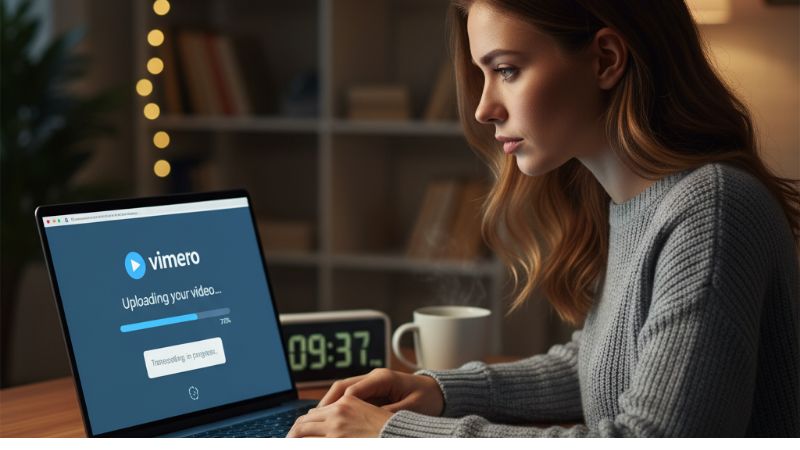
If your Vimeo upload has finished but the video still says Processing or Optimization Pending, that does not necessarily mean something is wrong. Vimeo still has to transcode the uploaded file into versions that can play properly across different devices and connection speeds.
how long does it take vimeo to process a video? There is no fixed processing time. Small, lower-resolution files may finish quickly, while longer, larger, 4K, HDR, or more heavily encoded videos can take considerably longer.
How Long Does It Take Vimeo to Process a Video?
Vimeo does not publish a guaranteed “X minutes per video” processing time. The amount of time depends mainly on the video's file size, resolution, quality, and encoding.
One useful benchmark does come directly from Vimeo: if a video remains in Optimization Pending for more than 30 minutes, Vimeo recommends checking the file against its compression guidelines, trying the upload again if necessary, and contacting Support if the problem continues.
So a few minutes of processing can be perfectly normal. A video sitting unchanged for more than half an hour deserves closer attention, especially if the file is not unusually large or complex.
Why Can Vimeo Processing Take Longer?
Uploading and processing are two separate stages. First, your original file has to reach Vimeo. After that, Vimeo transcodes it into playback versions suitable for different devices and connection speeds.
Processing may take longer when:
- The file is large. More source data has to be processed.
- The resolution is high. 4K and other high-resolution videos generally require more processing than smaller files.
- The video is long. More footage means more material to transcode.
- The encoding is demanding. Codec, bitrate, frame rate, and other export settings can affect conversion.
- The source file has technical problems. Corruption, unusual frame-rate behavior, multiple tracks, or incompatible formats can cause conversion problems.
Vimeo specifically notes that higher-resolution videos may take longer to process, and you may see an SD version become available before the HD version has finished converting.
Does Internet Speed Affect Vimeo Processing?
Internet speed mainly affects the upload stage, not the server-side transcoding that happens afterward.
A slow connection can make the total wait feel much longer because processing cannot begin until the necessary upload has reached Vimeo. Vimeo says it does not intentionally limit upload speeds, so slow uploads are more likely to be caused by your connection, local network traffic, Wi-Fi interference, or ISP limitations.
This distinction is useful:
| Stage | Main Factors |
|---|---|
| Uploading | Your internet upload speed, file size, Wi-Fi stability, browser, and local network. |
| Processing / Transcoding | File size, video resolution, source quality, codec, bitrate, frame rate, and encoding complexity. |
Why Is My Vimeo Video Stuck on Processing?
If Vimeo has been processing the video much longer than expected, first confirm that the original file itself is healthy.
Vimeo lists several common conversion problems, including:
- Damaged or corrupted source files
- Variable frame-rate issues
- Non-standard pixel or aspect-ratio settings
- Multiple audio or video tracks
- Unsupported or problematic source formats
Try playing the entire source file locally. If it works correctly, re-uploading may resolve a temporary processing problem. If the issue happens again, re-exporting or re-encoding the video can help.
What Should You Do After 30 Minutes?
If your video remains on Optimization Pending for more than 30 minutes, Vimeo recommends checking whether the file follows its compression guidelines.
A sensible troubleshooting order is:
- Make sure the original video plays correctly from beginning to end.
- Check that your export settings follow Vimeo's recommended compression guidelines.
- Try uploading the file again.
- If necessary, re-export or re-encode the source file.
- Check Vimeo's status page for a wider platform issue.
- If the video is still stuck, contact Vimeo Support and provide the video URL and how long it has been pending.
What Video Settings Does Vimeo Recommend?
Vimeo accepts many common formats and codecs, but for efficient uploads and conversion it recommends formats such as H.264, Apple ProRes 422 HQ, and H.265/HEVC.
H.264 is a particularly practical starting point because Vimeo describes it as a balance between visual quality and efficient file size, helping minimize upload and conversion time. H.265 can create smaller files at similar visual quality but requires more encoding time.
Vimeo also recommends keeping the source frame rate and using a constant frame rate where possible.
Should You Re-Upload a Video That Is Still Processing?
Not immediately.
If a large or high-resolution video has only been processing for a short period, give Vimeo time to finish. Re-uploading too early may simply start the same process again.
Once the video has remained stuck for an unusually long time, particularly beyond Vimeo's 30-minute troubleshooting benchmark for Optimization Pending, checking the file and attempting a new upload becomes more reasonable.
If you need to make changes to the video itself before trying again, Does Vimeo Allow You to Edit Videos? explains the editing options available on Vimeo.
Can Vimeo Process the SD Version Before HD or 4K?
Yes. Vimeo notes that lower-resolution versions can become available while higher-resolution versions are still converting.
So if the video plays but the HD or 4K option is not available yet, the upload may not actually be stuck. Vimeo may simply still be generating the higher-quality playback versions.
For creators working with more advanced video formats, Does Vimeo Support 5.1 Surround Sound? may also be useful when preparing the source file.
When Is Your Vimeo Video Ready to Promote?
Wait until the upload and processing are complete and verify that the video plays correctly in the resolution you want viewers to use. Promoting the URL before processing has finished can send visitors to a video whose higher-quality versions are not ready yet.
Once the video is published and playing normally, creators who want additional visibility can also review the available Vimeo SMM Panel services.
For broader promotional services, the main SMM Panel is available as well.
So, How Long Should You Wait?
how long does it take vimeo to process a video? There is no universal processing time. Short and simple videos may become ready quickly, while larger, longer, high-resolution, or complex files can take much longer.
The practical rule is simple: if Vimeo is still working for a few minutes, that can be normal. If the video remains stuck on Optimization Pending for more than 30 minutes, check your source file and compression settings, try uploading again if necessary, and contact Vimeo Support if the issue continues.