

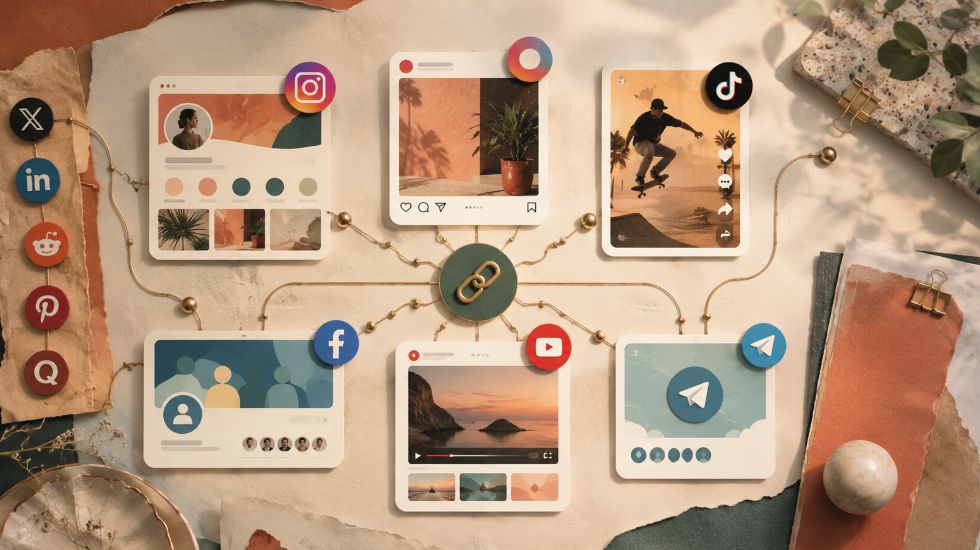
What Link Should You Use for an SMM Panel Order?

When placing an SMM panel order, the link you submit decides where the service will be delivered. If the link points to the wrong profile, post, video, channel, group, or story, the order may stay pending, fail, become partial, or get cancelled. That is why many beginners ask What Link Should You Use for an SMM Panel Order? before placing their first order. 🔗

If you are using an Instagram Smm Panel or any other platform service, the correct link depends on the exact service you selected. A follower service usually needs a profile link, a like service usually needs a post link, a view service usually needs a video or Reel link, and a Telegram member service may need a public channel link or private invite link.


What Link Should You Use for an SMM Panel Order?

Direct answer: For an SMM panel order, you should use the exact public link required by the selected service. If you order followers, use the profile, page, channel, or group link. If you order likes, views, comments, shares, saves, or reactions, use the direct post, video, Reel, tweet, story, or content link. If the service is for private Telegram members, use an active invite link that allows users to join.

In simple terms, the order link tells the panel where the service should be delivered. If the link is wrong, private, expired, shortened, restricted, deleted, or does not match the selected service, the order may not process correctly. This is one of the most common beginner mistakes in SMM panel ordering.

Before placing any order, open the link yourself and confirm that it leads to the exact target. If you are ordering likes for one post, the link should open that post. If you are ordering followers, the link should open the profile. If you are ordering Telegram members, the link should open the correct channel, group, or invite page.


Why the Correct Link Matters in an SMM Panel?

The correct link matters because an SMM panel is usually built around automated order processing. Once you submit a service, link, and quantity, the system may send the order to a provider or API. If the submitted URL does not match the service type, the system may not know where to deliver the order.

To understand the basic workflow behind this process, What is an SMM panel? explains how panels organize services, orders, user balance, links, and delivery tracking in one dashboard. The link is one of the core parts of that workflow because it defines the delivery target.

A wrong link can create several problems. The order may stay pending because the system cannot validate the target. It may get cancelled because the service does not support that link format. In some cases, delivery may happen on the wrong content if the user submitted the wrong post or profile.


Profile Link vs Post Link vs Video Link: What Is the Difference?

The biggest mistake beginners make is thinking every social media link is the same. In reality, a profile link, post link, video link, Reel link, story link, channel link, group link, and invite link all point to different targets. The service type decides which one you should use.

Link Type What It Points To Common Use
Profile link A user, page, or account profile. Followers, profile visits, some profile-based services.
Post link A specific post. Likes, comments, shares, saves, reactions.
Video link A specific video. Views, likes, comments, watch-related services.
Reel link An Instagram Reel. Reel views, Reel likes, Reel comments.
Story link An active story or story-related target. Story views or story reactions where supported.
Channel link A Telegram or YouTube channel. Members, subscribers, channel services.
Group link A Telegram, Facebook, Discord, or other group. Members or group activity.
Invite link Private Telegram group or channel access. Private Telegram member orders.
Status / post URL A specific X/Twitter post. Likes, reposts, views, replies, poll votes.

The rule is simple: profile services need profile links, content services need content links, and private access services need working invite links. If you remember this, most link-related order mistakes become easier to avoid.


What Link Should You Use for Followers Orders?

For follower orders, you usually need to submit the profile link of the account that should receive followers. For example, Instagram follower services usually need the Instagram profile URL, TikTok follower services usually need the TikTok profile URL, and Twitter/X follower services usually need the X profile URL.

Do not submit a post link when ordering followers unless the service specifically asks for it. A post link points to one piece of content, while a follower service usually needs the account profile as the target. The profile should also be public and accessible before placing the order.


What Link Should You Use for Likes Orders?

For likes orders, you should usually submit the direct link to the post, Reel, video, tweet, or content that should receive likes. A profile link is usually not enough because the panel needs to know exactly which content should receive the like activity.

Before submitting the link, open it in a browser or app and confirm that it leads to the exact post you want to promote. If the post is private, deleted, restricted, age-limited, or unavailable, the order may not start correctly.


What Link Should You Use for Views Orders?

For view orders, use the direct link to the video, Reel, story, post, or content that should receive views. The exact link depends on the platform. YouTube view services usually need a video URL, Instagram Reel view services need a Reel link, TikTok view services need a TikTok video link, and Telegram post-view services may need the public Telegram post link when supported.

Do not submit a homepage, profile, or unrelated post link for a view service unless the service description says it accepts that format. The more exact the URL is, the lower the risk of pending, partial, or cancelled orders.


What Link Should You Use for Comments Orders?

For comments orders, use the direct link to the post, video, Reel, tweet, or content where comments should appear. If the service offers custom comments, the panel may also require comment text, one comment per line, or a specific format depending on the order form.

Comment services are more sensitive than simple view or like services because the comment must appear under the correct content. If the link points to the wrong post, the comments may be delivered incorrectly or the order may be cancelled.


What Link Should You Use for Telegram Member Orders?

For Telegram member orders, use the public channel or group link if the target is public and the selected service accepts public links. If the Telegram group or channel is private, use an active invite link that does not expire too soon, does not have a low usage limit, and does not require manual approval unless the service specifically supports join-request links.

Telegram invite links are important because they control whether new members can actually join. If the invite link is expired, revoked, limited, or approval-based, the order may stay pending, become partial, or get cancelled.

Telegram Link Type Best Use Risk
Public channel link Public channel member or visibility services. Usually safer if the service accepts public links.
Public group link Public group member services. Must point to the correct group.
Private invite link Private channel or group member orders. Must be active and unrestricted.
Limited invite link Campaign tracking. May stop delivery if the limit is too low.
Join-request link Approval-based communities. May delay delivery unless the service supports it.

What Link Should You Use for YouTube Orders?

For YouTube orders, the correct link depends on the service. YouTube views usually need the video URL. YouTube subscribers usually need the channel URL. YouTube likes, comments, and watch-related services usually need the exact video link. Some YouTube comment services may require a video URL plus comment instructions.

Users should avoid submitting shortened links, playlist links, or channel homepage links unless the service description says they are accepted. A video view service should usually receive the exact video URL, not the channel homepage.


What Link Should You Use for Instagram Orders?

For Instagram orders, follower services usually need the profile link, while likes, comments, saves, shares, and Reel views usually need the direct post or Reel link. Story-view services may require an active story link or profile-based format depending on the panel.

Instagram’s own help page explains that users can copy a link to a photo or video from the post sharing options, which is useful when you need the exact post URL for an SMM order. You can review Instagram’s official guide on how to get a link to a photo or video on Instagram before submitting an Instagram order link.

The Instagram account or content should be public before ordering. If the profile is private or the Reel/post is unavailable, the order may fail or stay pending. Users should copy the link directly from Instagram and test it before submitting.


What Link Should You Use for TikTok Orders?

For TikTok orders, follower services usually need the profile link, while TikTok likes, views, shares, comments, and saves usually need the direct video link. The TikTok video should be public and accessible before the order is placed.

A TikTok video link should point to the exact video that should receive delivery. If the account is private, the video is deleted, or the link is copied incorrectly, the order may be delayed, fail, or get cancelled.


What Link Should You Use for Twitter/X Orders?

For Twitter/X orders, follower services usually need the profile URL, while likes, reposts, views, comments/replies, bookmarks, or poll votes usually need the exact X post URL. The link should usually look like a profile URL or a status/post URL depending on the service.

For example, an X like or repost order usually needs the direct post link, not the account homepage. If the post is deleted, protected, or unavailable, the panel may not be able to process the order.


Public Links vs Private Links: What Should You Know?

Most SMM panel orders work best with public links. A public link lets the system access the target content without needing account login. Private profiles, protected posts, expired stories, deleted content, or approval-only links can block delivery.

Private links may work only when the service specifically supports them, such as private Telegram invite-link services. If the service description does not mention private-link support, users should keep the target public before ordering.


Should You Use Shortened Links in an SMM Panel?

In most cases, users should avoid shortened links in an SMM panel order unless the panel specifically allows them. Shortened URLs can hide the real target, break tracking, redirect incorrectly, or prevent the system from validating the platform and content type.

The safer option is to submit the original platform URL. This helps the panel identify whether the link is an Instagram post, YouTube video, TikTok video, Telegram channel, or X post.


Common Wrong-Link Mistakes That Cancel Orders

Wrong-link mistakes are one of the most common reasons SMM panel orders fail. A user may submit a profile link for likes, a post link for followers, an expired invite link for Telegram members, or a shortened link that the system cannot validate.

Mistake What Can Happen?
Submitting a profile link for post likes The panel may not know which post to target.
Submitting a post link for followers The follower service may reject the target.
Using a private profile Delivery may not access the target.
Using an expired Telegram invite link Members cannot join.
Using a shortened URL The system may fail to validate the target.
Submitting the wrong platform link The service may cancel automatically.
Deleting content after ordering Delivery may stop or fail.
Changing username during delivery The link may break or misroute.
Not reading service notes The user may submit an unsupported format.

If your order gets cancelled and you suspect the link caused it, Why Do SMM Panel Orders Get Cancelled? explains other common causes such as private accounts, invalid service selection, provider delay, unavailable services, and wrong order details.


What Should You Check Before Submitting the Link?

Before submitting a link in an SMM panel order, open the link yourself and confirm that it leads to the exact target. The link should match the service type, be public, remain active during delivery, and follow the format shown in the service description.

  • Check whether the service needs a profile, post, video, channel, group, or invite link.
  • Open the link before ordering to confirm it works.
  • Make sure the target is public and accessible.
  • Do not use shortened links unless allowed.
  • Check that the link belongs to the correct platform.
  • Do not delete or change the target during delivery.
  • For Telegram, make sure invite links are active and not too limited.
  • Read the service description before placing the order.

Many beginner mistakes happen before the order even starts. The guide What Mistakes Should Beginners Avoid When Using an SMM Panel? can help users avoid wrong links, duplicate orders, unrealistic expectations, and unsafe ordering habits.


Can You Change the Link After Placing an Order?

In most SMM panels, users cannot change the link after placing an order because orders are often processed automatically. Once the order is submitted, the system may send it to a provider or API immediately. If the wrong link was submitted, the order may need to be cancelled, reviewed, or left as-is depending on the service rules.

This is why checking the link before submission is important. Some panels may cancel a wrong-link order if it has not started, but this is not always possible after processing begins.


How Wrong Links Can Keep Orders Pending?

A wrong link can keep an order pending because the system may not be able to validate or access the target. For example, a private Instagram profile, deleted TikTok video, expired Telegram invite link, or wrong YouTube URL can prevent delivery from starting.

If you see a pending order and think the link may be the reason, What Does Pending Mean in an SMM Panel? explains when pending is normal, when it may signal a problem, and what users should check before contacting support.


Why Order ID Matters When Reporting a Wrong Link?

If you submitted the wrong link, the Order ID is the most important detail to give support. The support team needs the Order ID to find the exact order, check the service, review the submitted link, and see whether the order is pending, processing, completed, partial, or cancelled.

For a deeper explanation, What Is an Order ID in an SMM Panel? explains why this number is essential for tracking, refund review, refill requests, cancellation checks, and support communication.


When Should You Open a Support Ticket?

You should open a support ticket if the order stays pending beyond the expected start time, gets cancelled, is delivered to the wrong target, or was submitted with a link that you believe may be incorrect. Include the Order ID, service name, submitted link, correct link if needed, and a short explanation.

If you are unsure what to include, What Is a Support Ticket in an SMM Panel? explains how users should contact support about payment, order, refill, link, and delivery problems inside the panel dashboard.


What Happens After Delivery?

After delivery, users should check whether the service was delivered to the correct link. If the correct link was submitted, the order may be marked as completed, partial, cancelled, or still in progress depending on the result. If the wrong link was submitted, the delivery may go to the wrong target or the order may fail.

If the order is completed on the wrong link, support may not be able to move the result to another target. If the order is cancelled because of an incorrect link, the balance may return depending on the panel’s cancellation rules. This is why the link should be checked before placing the order, not after delivery.


Final Thoughts on SMM Panel Order Links

So, What Link Should You Use for an SMM Panel Order? Use the exact link required by the selected service. Followers usually need a profile or channel link. Likes, views, comments, shares, saves, and reactions usually need the direct content link. Telegram private member services may need an active invite link.

The safest habit is simple: read the service description, copy the original platform URL, avoid shortened links, keep the target public, open the link before ordering, and do not change or delete the target during delivery. A correct link helps prevent pending, failed, partial, or cancelled orders. ✅


FAQ About SMM Panel Order Links

The questions below answer the most common beginner concerns about SMM panel order links, including profile links, post links, private links, shortened URLs, wrong-link cancellations, and whether the link can be changed after ordering.


What link should I use for an SMM panel order?

You should use the exact public link required by the selected service. Follower services usually need a profile or channel link, while likes, views, comments, shares, saves, and reactions usually need the direct post, video, Reel, tweet, or content link.


Can I use a profile link for likes or views?

Usually, no. Likes and views normally require the direct content link, such as a post, video, Reel, or tweet URL. A profile link does not tell the panel which specific content should receive likes or views.


Why was my SMM panel order cancelled because of the link?

Your order may be cancelled if the link is wrong, private, expired, deleted, shortened, restricted, or does not match the selected service. Wrong URL format and private accounts are common reasons orders fail or get cancelled.


Can I change the link after placing an SMM panel order?

Usually, you cannot change the link after placing an order because many panels process orders automatically. If the order has not started, support may be able to review it, but link changes are not always possible.


Should I use shortened links for SMM panel orders?

It is usually better not to use shortened links unless the service specifically allows them. Original platform URLs are safer because they help the panel validate the platform, content type, and target correctly.


What link should I use for Telegram member orders?

For public Telegram groups or channels, use the public t.me link if the service accepts it. For private Telegram member orders, use an active invite link that does not expire too soon, does not have a low usage limit, and does not require manual approval unless supported.