

Does Telegram Notify When You Change Your Number?

Does Telegram Notify When You Change Your Number?

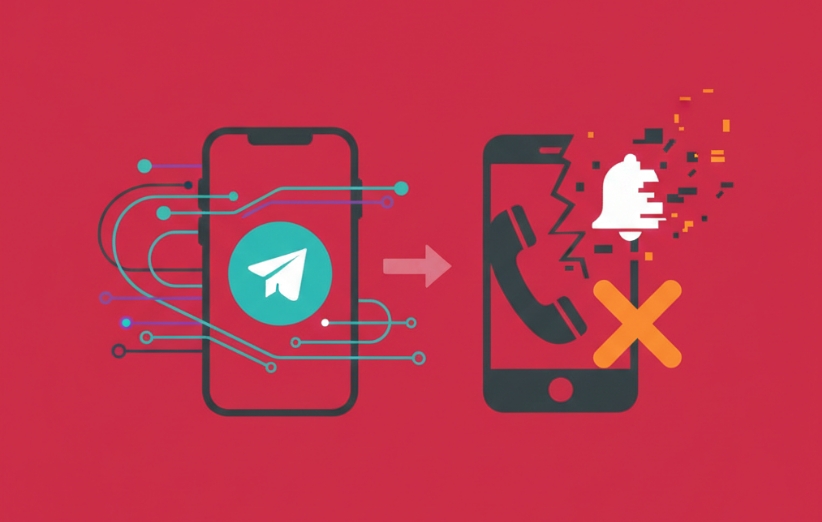
Does Telegram notify when you change your number? If you’re planning a number switch, this question is usually about privacy, not curiosity. You’re likely thinking: “Will my contacts get a warning?”, “Will old connections notice?”, or “Will groups see it?” Telegram’s behavior is specific, and the details matter because small misunderstandings can create unnecessary stress. In this guide, you’ll get a clear, rule-based answer, plus practical ways to reduce exposure while keeping your account intact.


If you manage communities or growth workflows, you may also see this question discussed alongside visibility and engagement tools like smm panel services and platform-focused resources such as Telegram SMM Panel. But privacy mechanics are separate from marketing tools—so let’s focus on what Telegram actually does when you change your phone number.


Does Telegram Notify When You Change Your Number?

Yes—Telegram can notify some people, but not everyone. In most cases, Telegram shows a number-change notice to people who have your number saved in their contacts (and who can see you as a contact). However, groups and channels are not “broadcast-notified” like a public announcement, and strangers who don’t have your number saved typically won’t get a direct “alert.” The exact visibility depends on contact relationships and privacy context, not on a single global switch. So the real answer is: Telegram notifies selectively, not universally.


What Telegram Means by “Notifying Contacts”

Telegram “notification” in this context is not a push notification to the whole platform—it’s usually an in-chat system message that appears in your conversation thread with certain users. That distinction is important because people imagine a dramatic broadcast (“X changed their number!” to everyone), but Telegram works more quietly. The message is tied to an existing relationship: if someone has a chat thread with you and you’re recognized as a contact, they may see the update. In other words, Telegram treats your number change as an account continuity event, not a public status update.


Who Gets Notified When You Change Your Number

In practical terms, the people most likely to see a number-change message are contacts who already had your number saved and have an existing conversation with you. This is why the question feels sensitive: it can surface your “new identity link” to people you didn’t plan to re-engage with. Telegram’s design goal is to prevent confusion (“Is this the same person?”), so it prioritizes continuity for contacts. If your concern is exposure, your safest move is to assume that saved contacts with chat history are the main audience for the notice. The bigger your contact graph, the bigger the potential reach.


Who Does NOT Get Notified

Telegram does not generally “notify the world.” Users who don’t have your number saved (and don’t recognize you as a contact) usually don’t get a special number-change message, because Telegram can’t reasonably attach your identity to them through phonebook matching. Also, the idea that “every group member will get an alert” is overstated—Telegram doesn’t blast a channel-wide notification like a public announcement. That said, if you interact actively in groups, people can still notice changes through context (your profile, replies, or the fact they already know you). The key is: no universal broadcast, but not “invisible” either.


What the Notification Message Looks Like

People worry about the exact wording because it affects awkwardness and risk. Telegram’s number-change notice is typically presented as a system-style line inside the chat (not as a normal message you typed). It exists to help the other person understand that your account is the same account, now linked to a new phone number. The practical outcome is that anyone who sees it can connect “old you” and “new number” in their mind. If that linkage is the core problem, you should focus on minimizing who qualifies as “notified contacts,” rather than hoping the message won’t appear.


Can You Change Your Telegram Number Without Notification?

Not completely—not in the “zero trace for everyone” sense. Telegram is designed for continuity: the same account, same chats, same identity graph, just a new number. That continuity is the exact reason some contacts may see the system message. The realistic approach is risk reduction: limit who can connect your old identity to the new number, and be intentional about your contact relationships. If your situation is high-stakes, consider whether a fresh account (with different privacy defaults) is safer than carrying continuity forward. But for most users, smart privacy choices are enough to reduce unwanted visibility.


Privacy Settings That Affect Number-Change Visibility

Even though Telegram doesn’t offer a simple “disable number-change notification” toggle for all scenarios, your privacy setup still matters. The strongest privacy outcomes come from controlling who can see your number and limiting phonebook-based discovery. Also consider how you handle multiple accounts if you’re separating identities. If you’re exploring identity separation, this guide can help you think through practical account structure: does telegram allow multiple accounts on one device?. The bigger idea is simple: reduce the number of people who can link your account to your phone identity.


What Happens to Your Chats, Groups, and Channels

This is the reassuring part: changing your number is primarily an identity update, not a content wipe. In most normal cases, your chats, groups, media history, and memberships remain tied to the same Telegram account. Telegram’s design goal is to avoid forcing you to rebuild your social graph from scratch just because your SIM changed. That’s why the number-change flow exists in the first place: it keeps continuity while updating the credential. If you’re worried you’ll “lose everything,” the number-change feature is meant to prevent exactly that outcome.


Does Your Old Number Stay Visible?

After you change your number, the old number is no longer the active identity credential for your account, but visibility concerns remain practical: people who already had your old number saved may still recognize you, and older chat context can create indirect linkage. The real privacy risk is rarely “old number still displayed,” but “old relationships still exist.” If you want to reduce the number-based connection layer, review how Telegram handles phone-number exposure, especially if you’re using Telegram in mixed social/professional circles: does google voice work with telegram?. The point is to think like a privacy engineer: identity is not only a number—it’s also connections and history.


Quick Checklist Before You Change Your Telegram Number

If you want a calmer experience, use a short checklist before you switch. This doesn’t guarantee invisibility, but it reduces surprises and awkward “who saw what?” moments. Think of it as pre-flight safety for your privacy. The goal is to control exposure, not to panic. Here’s a practical sequence you can follow.


  1. Review who has your number saved (and which conversations matter most).
  2. Adjust number visibility and discovery settings to reduce phonebook-based linking.
  3. If you need identity separation, plan your account structure before changing anything.
  4. After the change, verify your profile visibility and avoid unnecessary activity for a short period.
  5. If confusion happens, be ready with a simple explanation (or choose silence if privacy is the priority).


Common Myths That Create Unnecessary Anxiety

This topic is full of myths because users mix Telegram behavior with other apps. One myth is that Telegram sends a push alert to everyone—usually false. Another is that changing your number “resets” your history—also typically false. Some people think translation or UI features change privacy logic; they don’t, but learning what features exist can still reduce confusion during sensitive account actions. If you want to understand Telegram’s built-in tools that affect how you use the app (not number-change privacy), you can read: Does Telegram Have a Built-In Translator?. The healthiest mindset is to focus on what Telegram actually shows to contacts, not on rumors.


Comparison Table: Who Might Notice Your Number Change?

Sometimes the clearest answer is a simple table. The goal here isn’t perfect certainty (because contact relationships vary), but a realistic model that matches how Telegram continuity works. If you want fewer surprises, assume visibility increases with contact closeness and chat history. Use this table to set expectations before you switch. It’s a privacy planning tool, not a legal guarantee.


User Type Likely to See a System Notice? Why
Saved contact with chat history Higher chance Telegram prioritizes continuity for recognized contacts
Contact without active chat Medium/unclear Depends on how Telegram links contact identity in practice
Group members who aren’t contacts Lower chance No universal broadcast; discovery is relationship-based
Strangers/non-contacts Usually no They don’t have phonebook linkage to your identity

What This Means for Privacy-Conscious Users

If you’re privacy-conscious, the best approach is to treat number changes as identity events, not just SIM events. Telegram’s continuity is convenient, but it can also connect your old and new numbers in the eyes of certain contacts. If you need maximum separation, consider planning a clean start rather than carrying your old graph forward. If your concern is moderate, smart settings and cautious behavior usually reduce unwanted attention. The calm truth is: Telegram is not trying to expose you, but it is trying to prevent confusion for contacts. Your job is to decide which matters more for your situation.


FAQ

Will all my Telegram contacts be notified if I change my number? Telegram does not notify everyone universally. The people most likely to notice are contacts who have your number saved and already have a chat relationship with you.

Can I hide my number change on Telegram? You generally can’t guarantee complete invisibility, but you can reduce exposure by tightening privacy settings and limiting phone-number-based discoverability before switching.

Do Telegram groups see my number change? Groups typically do not receive a public broadcast notification. However, active group interactions can make people notice changes indirectly if they already recognize your identity.

Does Telegram notify blocked contacts? Blocking changes the relationship and visibility, but it doesn’t create a universal “no one can ever see anything” rule. For sensitive situations, assume continuity can still reveal linkage to some prior contacts depending on context.

Can I change my number without losing chats? In normal cases, changing your number keeps your chats, groups, and history because Telegram treats it as the same account with updated credentials.

Is changing my number safer than creating a new account? It depends on your goal. Changing your number preserves continuity (and can reveal linkage). A new account can offer cleaner separation but requires rebuilding your social graph.

For the most authoritative reference on Telegram account behavior and privacy-related mechanics, you can review Telegram’s official documentation here: Telegram FAQ.

Services
Sign up
Sign in