

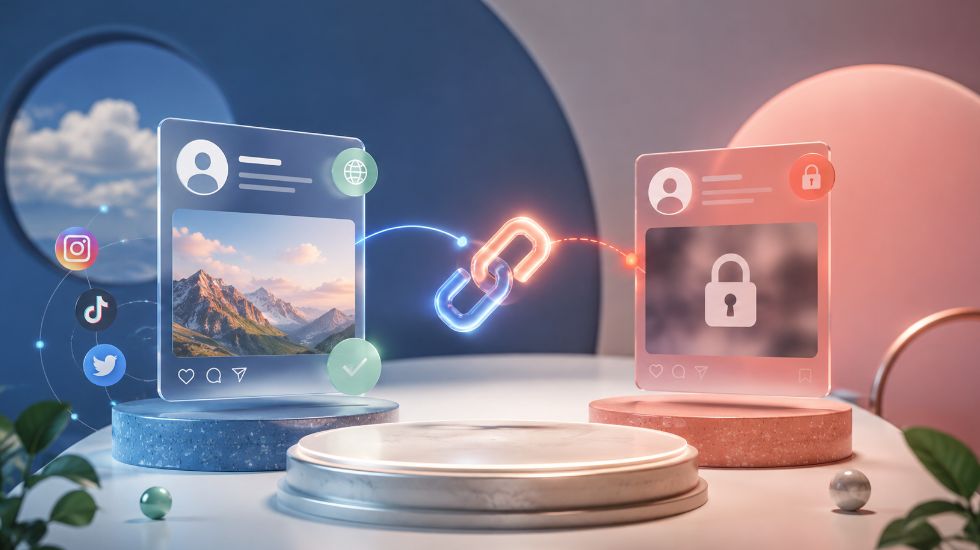
When you place an order for followers, likes, views, comments, members, or another social media service, you are usually asked to submit a profile or content link. For someone using a panel for the first time, that request can raise an obvious question: why does the service need the link, and why does the target often need to stay public?
Why Does an SMM Panel Ask for a Public Profile or Post Link? Because the URL tells the system exactly where the ordered service should be delivered. A follower order needs an account-level destination, while a like, view, comment, or reaction order normally needs the direct URL of the individual piece of content.
Why Does an SMM Panel Ask for a Public Profile or Post Link?
The easiest way to understand the link is to think of it as the delivery address of the order. Selecting a service tells the system what you want; submitting the URL tells it where that service should go.
If you order followers, the destination is normally the account itself. If you order likes for one Reel, the destination is that particular Reel. If you order YouTube views, the destination is the individual video rather than the channel homepage.
The system cannot safely guess which account or content you intended to target. Supplying the correct URL removes that ambiguity and allows an SMM Panel to associate the order with a specific destination.
What Is the Difference Between a Profile Link and a Post Link?
A profile link points to an account, page, channel, or profile as a whole. A post link points to one specific piece of content. The service you choose determines which type of link should be submitted.
| Service Type | Link Usually Required |
|---|---|
| Followers | Profile or account URL |
| Subscribers | Channel URL |
| Likes or Reactions | Direct post, Reel, video, or content URL |
| Views | Direct video, Reel, Story, message, or post URL |
| Comments | Direct content URL |
| Members | Channel, group, server, or supported invite URL |
These are general patterns, not a replacement for reading the individual service description. Different platforms and providers may require different URL formats. For more specific examples, see What Link Should You Use for an SMM Panel Order?.
Why Does the Target Need to Be Public?
A public target can be reached without logging into your account or being approved as a follower. That accessibility matters because the provider needs to identify the profile, post, video, channel, or other destination while the order is being processed.
If you make the account private during delivery, delete the post, remove the video, change an invite link, or otherwise make the destination inaccessible, the service may no longer be able to continue normally.
Depending on the service and provider, an inaccessible target can result in a delay, Pending status, Partial delivery, or cancellation. This is why it is generally better to keep the destination public and unchanged until the order has finished.
Does Sharing a Public Link Give the Panel Access to Your Account?
No. A public URL only points to information that can already be reached publicly. Sharing that URL does not reveal your password, two-factor authentication code, recovery information, or active login session.
Standard services such as followers, likes, views, comments, subscribers, and members normally use the destination URL rather than your private account credentials. The difference between these two types of access is covered in Can You Use an SMM Panel Without Sharing Your Password?.
A request for a public profile or content URL should therefore not be confused with a request for account access. Passwords, authentication codes, and recovery codes are sensitive credentials; a public link is not.
What Happens If the Link Is Public but Wrong?
Public does not automatically mean correct. You can submit a perfectly accessible URL that points to the wrong post, the wrong account, or the wrong type of target.
For example, submitting a profile URL for a service that requires a specific post does not tell the provider which post should receive the engagement. An expired invite link can also be public but unusable for a member order.
Depending on how automated the service is, a wrong link can remain Pending, be rejected, get cancelled, or even receive delivery on the wrong target. The possible outcomes are explained in What Happens If You Enter the Wrong Link in an SMM Panel?.
Can a Private or Invalid Link Cause an Order to Be Cancelled?
Yes. If the provider cannot reach the submitted destination, the order may not be processable. A private profile, deleted post, unsupported URL, expired invite, or link that does not match the selected service can all prevent normal delivery.
Link problems are not the only reason orders can stop, however. Service availability, provider limits, duplicate orders, unsupported quantities, and other conditions can also matter. These situations are covered more broadly in Why Do SMM Panel Orders Get Cancelled?.
How Should You Check a Link Before Placing an Order?
A quick check before submitting the order prevents most avoidable link-related problems. You do not need a complicated verification process. The important thing is to confirm that the destination is correct, accessible, and appropriate for the selected service.
- Open the URL and confirm that it leads to the exact account or content you want to target.
- Make sure the profile, post, video, channel, or group is public if the selected service requires public access.
- Match the URL type to the service: profile links for account-level services and content links for post-level services.
- Confirm that invite links are still active before using them for member or server services.
- Avoid changing the username, privacy setting, content URL, or invite link while the order is still active.
- Read the service description rather than assuming that every service accepts the same link format.
Link verification is only one part of a good pre-order check. Service limits, quantities, start times, refill conditions, and active duplicate orders should also be reviewed. A fuller checklist is available in What Should You Check Before Placing an SMM Panel Order?.
What Should You Do If You Notice a Link Problem After Ordering?
Do not immediately place another identical order. First check the status of the existing order and make sure the submitted target is still accessible. A Pending order does not necessarily mean the link has failed; some services simply require time before delivery begins.
Review the Order ID, submitted URL, service name, current status, Start Count, Remains, and expected start time before deciding that something is wrong.
The dashboard information you should review is explained in How to Track an SMM Panel Order?. If the expected start time has passed and the target is still public and correct, you can then provide the Order ID to support for a more precise review.
Final Thoughts
Why Does an SMM Panel Ask for a Public Profile or Post Link? Because the URL gives the order a precise destination, and public access allows that destination to remain reachable while the service is being processed.
Account-level services normally require an account-level URL, while likes, views, comments, reactions, and similar engagement services usually need the direct content URL. Check the target before submitting the order, keep it accessible until delivery is complete, and remember that providing a public URL is very different from sharing private login credentials.